 ClockWork manual
Chapter 4
Inventory
Items, stock on hand, receiving, stock movements and purchase orders.
4.1Items
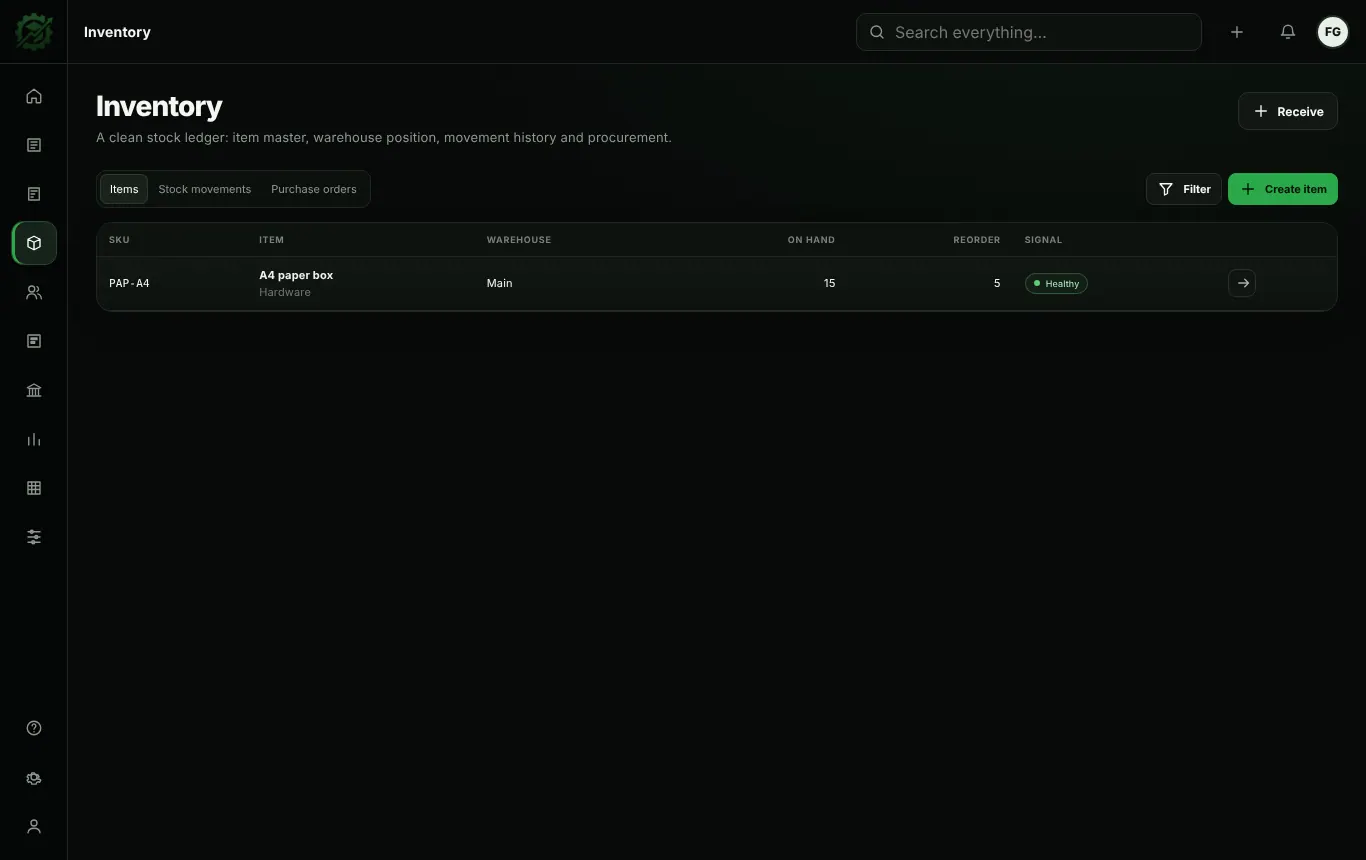
- Open Inventory and choose Create item.
- Enter the SKU (your item code), Item name, Category, Sell price, Standard cost, the stock On hand now, the Reorder point, the Warehouse and the Kind (stocked goods or a service).
- Save.
An item at or below its reorder point is flagged so it can be ordered in time.
4.2Receiving stock
- Choose Receive at the top of Inventory.
- Choose the Item, enter the Quantity received, the Warehouse it went into and a Reference (the delivery note or order number).
- Choose Receive. Stock on hand goes up and a stock movement is recorded.
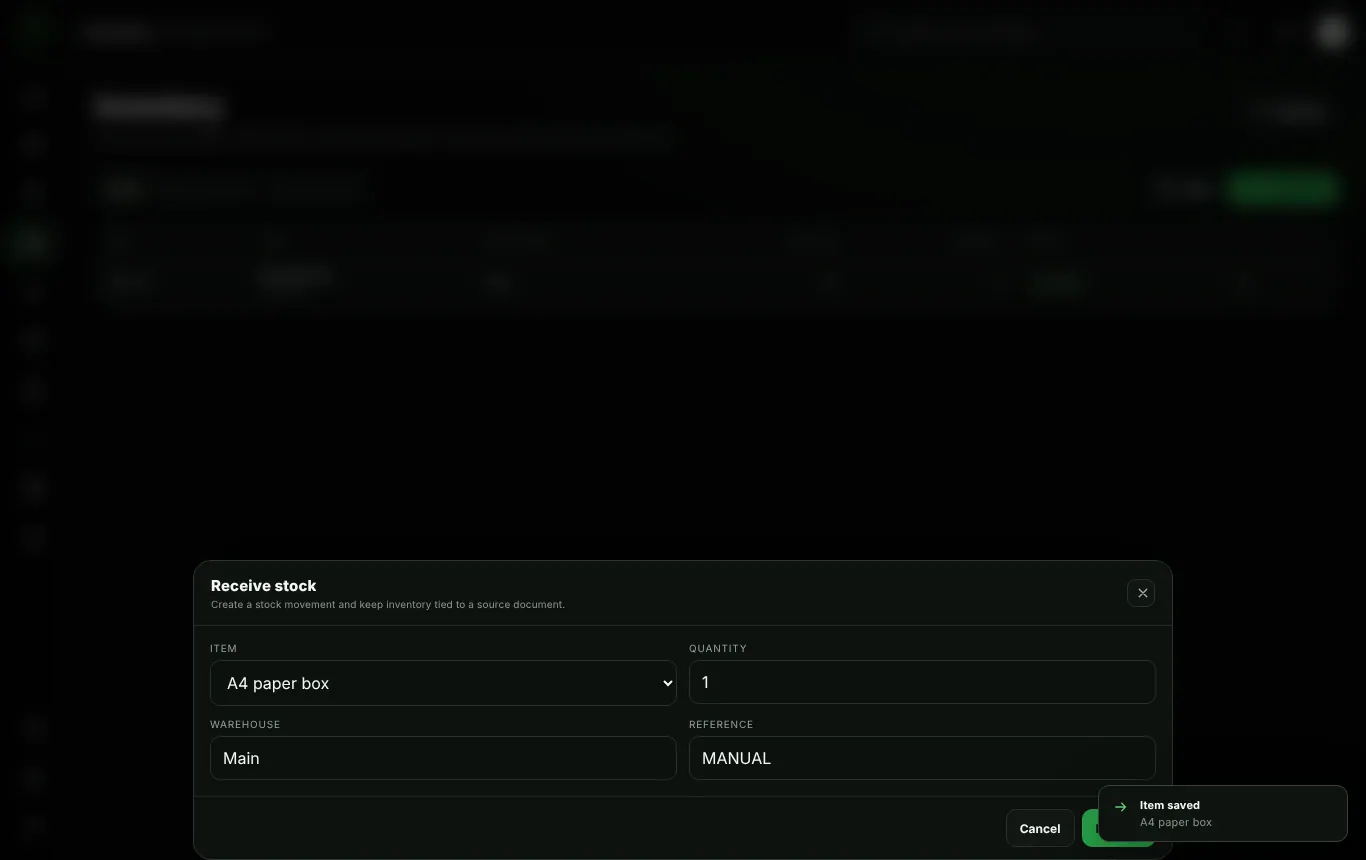
Goods bought from a supplier are best received against their purchase order, so the order, the receipt and the supplier's bill are matched. Receive on its own is for stock found or counted in by hand: it is valued at the item's cost against cost of sales.
4.3Stock movements
The Stock movements tab lists every receipt, issue and adjustment with its date, item, type, quantity, warehouse and reference: the trail behind every stock figure.
4.4Purchase orders
- Open Purchase orders and choose Create item (the button makes a purchase order on this tab).
- Choose the Supplier, the Order date and the Status, add the lines, and Save.
- When the goods arrive, receive them against the order; when the supplier's bill arrives, convert the order to a bill.